
A wake-up alarm for your NS train
Updated · TIT
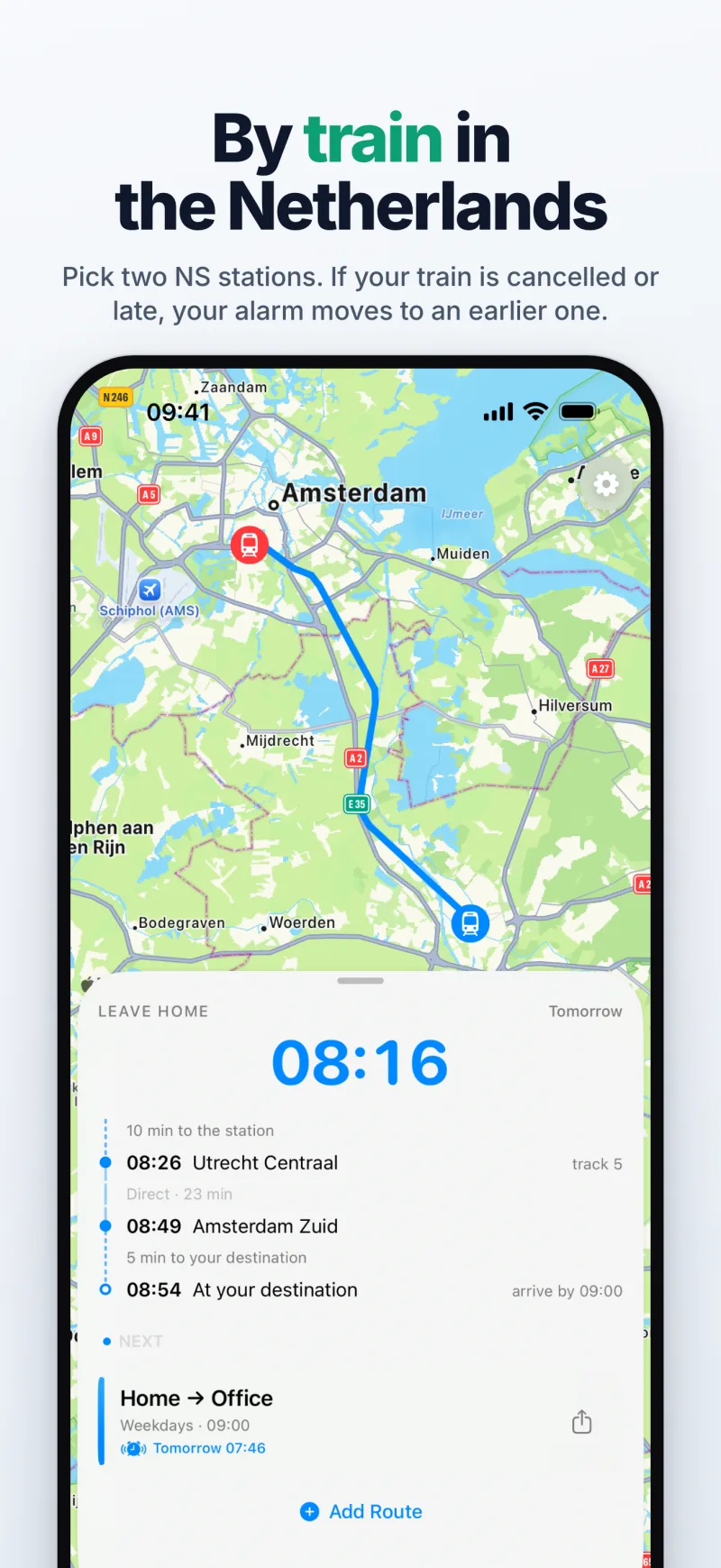
Yes — on iPhone with iOS 26, Mosey plans your morning around a real NS train. Be at work at 09:00, 5 minutes from Amsterdam Zuid to your desk, 10 minutes from your door to the platform at Utrecht Centraal: Mosey picks the 08:26 direct train (at Amsterdam Zuid at 08:49), tells you to leave home at 08:16 and wakes you at 07:46. If that train is cancelled or will arrive too late, the alarm moves to an earlier one.

Two stations, an arrival time and the walk at each end
Add a route, choose Train and pick the station you leave from and the one you arrive at — the search suggests the stations near you, and near your saved Home and Work. Then set how long it takes from your door to the platform (walking, cycling or driving, with time to find the platform) and from the arrival platform to where you need to be. With your arrival time and your days, that is the whole commute.
Mosey works out the plan from NS's live travel information: the train, its track, any change, and the minute you need to leave home. The home screen shows it as a timeline — 10 min to the station, 08:26 Utrecht Centraal track 5, direct, 23 min, 08:49 Amsterdam Zuid, 5 min to your destination, 08:54 at your destination — with the train's route on the map.
Which train: the latest, a direct one, or yours
By default Mosey takes the latest train that still gets you there on time — on time meaning its arrival, as late as NS now expects it, is no later than your arrival time minus the walk at the far end. If that train has a change and a direct train leaves at most 15 minutes earlier, Mosey takes the direct one.
Or pin the train you always take: “Always the 07:53 train”. It stays the plan whenever it runs; when it doesn't, Mosey moves you to the last train before it that still gets you there — never a later one.
Cancelled, a missed connection or running late
Mosey's server checks your train from about half an hour before your first reminder — an hour before you leave with the default reminders — every fifteen minutes, then every five. If your train is cancelled, a delay makes its connection impossible, or it will arrive too late, the plan moves to an earlier train, and the reminders and the wake-up alarm move with it.
A delay never makes you leave later. A delay announced early in the morning often shrinks by the time the train leaves, so the leave-home time is built on the earlier of the planned and expected departure, and a train only counts if its later arrival still gets you there. Disruptions and engineering works on the stretch your train runs show on the home screen.
The evening before — and a morning with no train
At 20:00 the evening before a commute day, Mosey plans tomorrow's journey. On a normal morning it says nothing. When tomorrow isn't normal — your usual train isn't running, the latest one is cancelled, or you'll need to leave noticeably earlier than usual — you get a notification that evening, and the alarm is already set for the earlier train.
If no train gets you there at all — a strike, a closed line — Mosey says so when your first reminder would have come: “No train gets you there by 08:30. Check the NS app for another way.” It keeps checking every fifteen minutes in case trains come back.
An alarm, not a notification
The first reminder rings as a real alarm, built on iOS 26's AlarmKit: through silent mode and Focus, until you stop it, with snooze and skip-a-morning. The later reminders arrive as notifications — “Leave by 07:28 for the 07:40 train” and, at the last one, the train and its track. A Live Activity on the Lock Screen counts down to the minute you leave and names the train, and a notification's Navigate button opens public-transport directions in Apple Maps.
What it covers — and doesn't
Trains between stations in the Netherlands, using NS's live travel information. Not buses, trams, the metro, cycling or trains abroad. Mosey isn't a journey planner either: for another way to travel on a disrupted morning, use the NS app. Mosey also plans commutes by car with Apple Maps traffic — the same app and the same alarm.
Frequently asked questions
Do I need the NS app?
No. Mosey gets NS's travel information through its own server. Keep the NS app for tickets and for planning other journeys.
Will a delay make me late because the alarm moved later?
No. A delay can only move the plan to an earlier train; it never makes you leave later.
Does it work outside the Netherlands?
Train mode covers stations in the Netherlands. Driving routes work anywhere Apple Maps has live traffic.
Is it free?
Yes. Every feature, train mode included, is free; an optional one-time tip supports development and unlocks nothing.