Mosey Commute traffic alarm & leave-by time
A wake-up alarm that moves with the traffic. Set your commute once — Mosey tells you the minute to leave, and wakes you earlier when the roads are bad.

An alarm that moves with the traffic
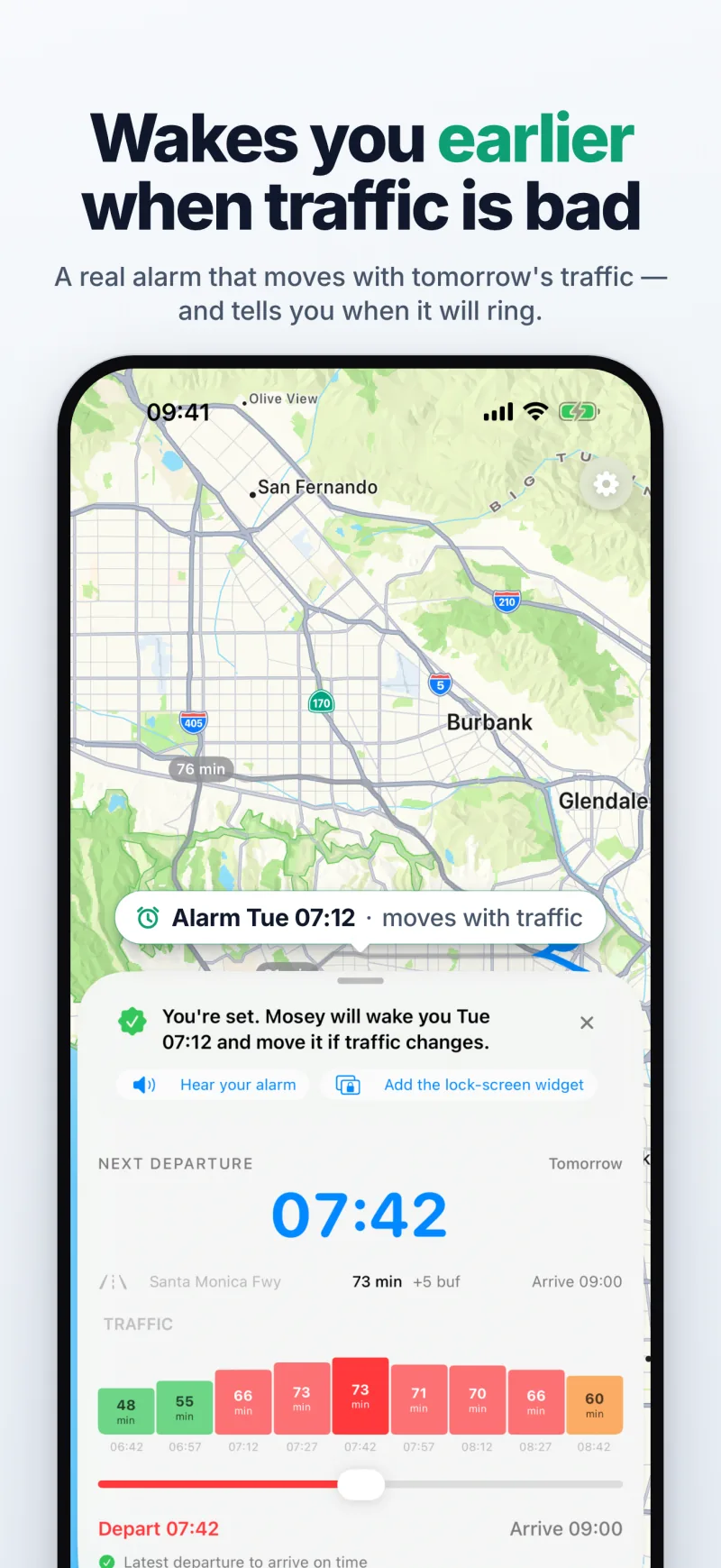
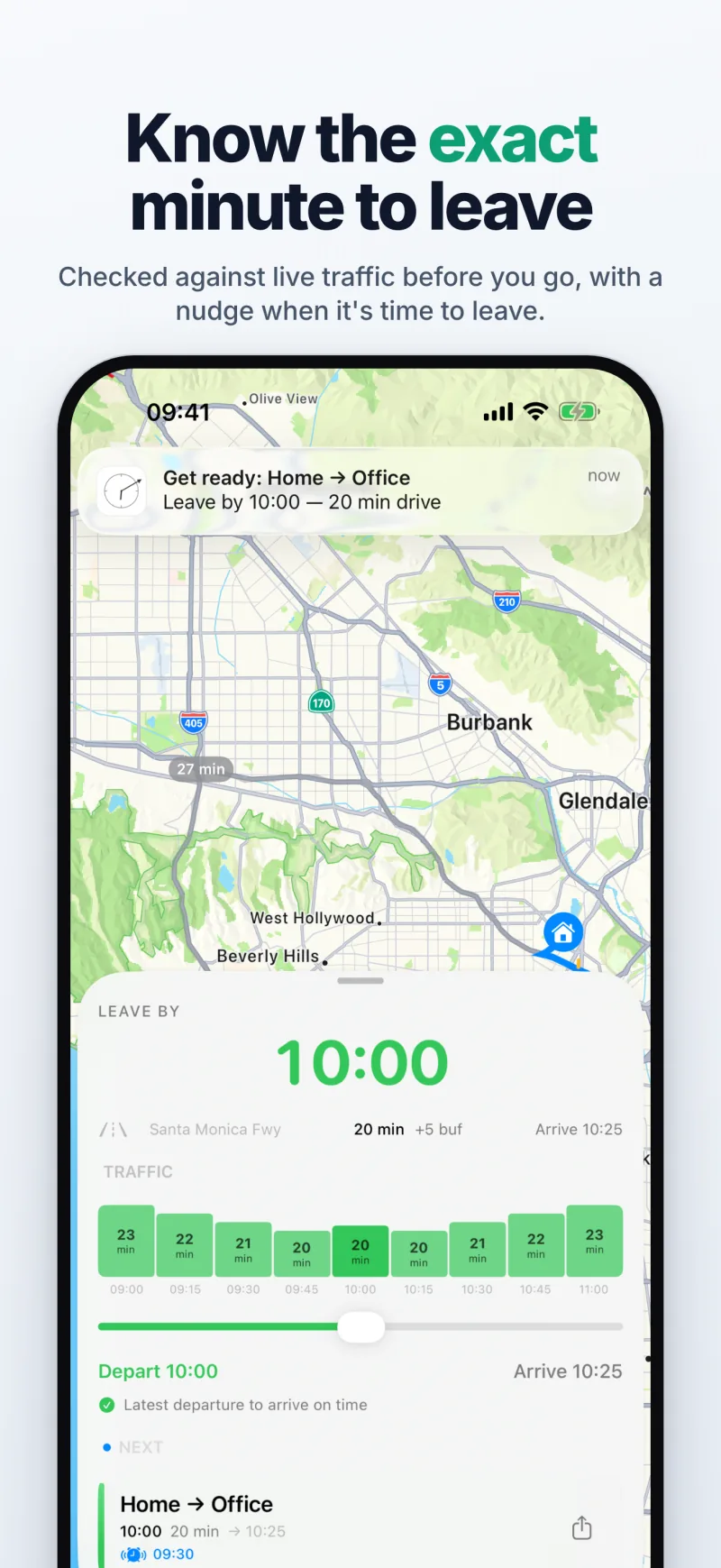
A real alarm, not a notification: it rings through silent mode and Focus until you stop it. Set from the traffic expected on your route and checked against live traffic before it rings, it moves earlier when the drive gets longer. Snooze, or skip a morning.
Set it once, know the minute to leave
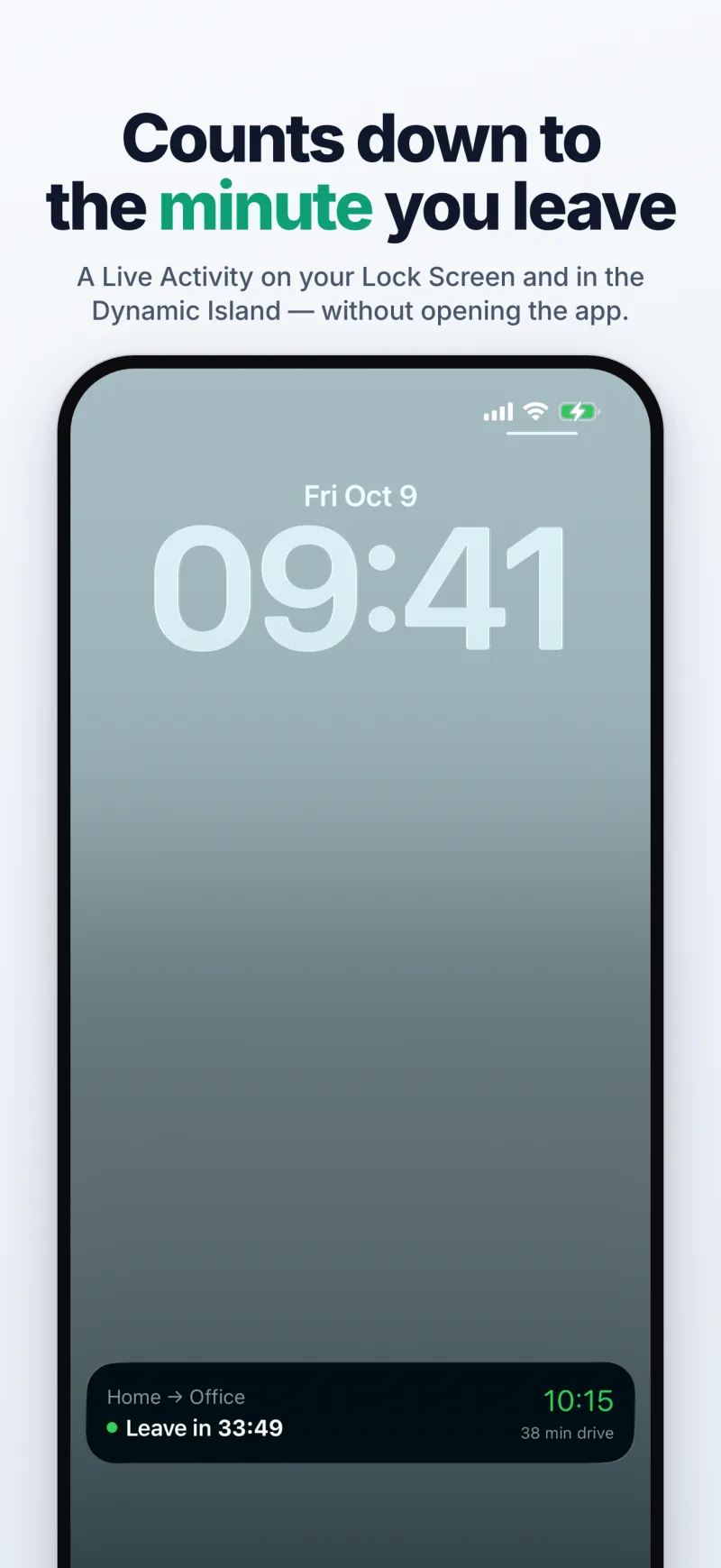
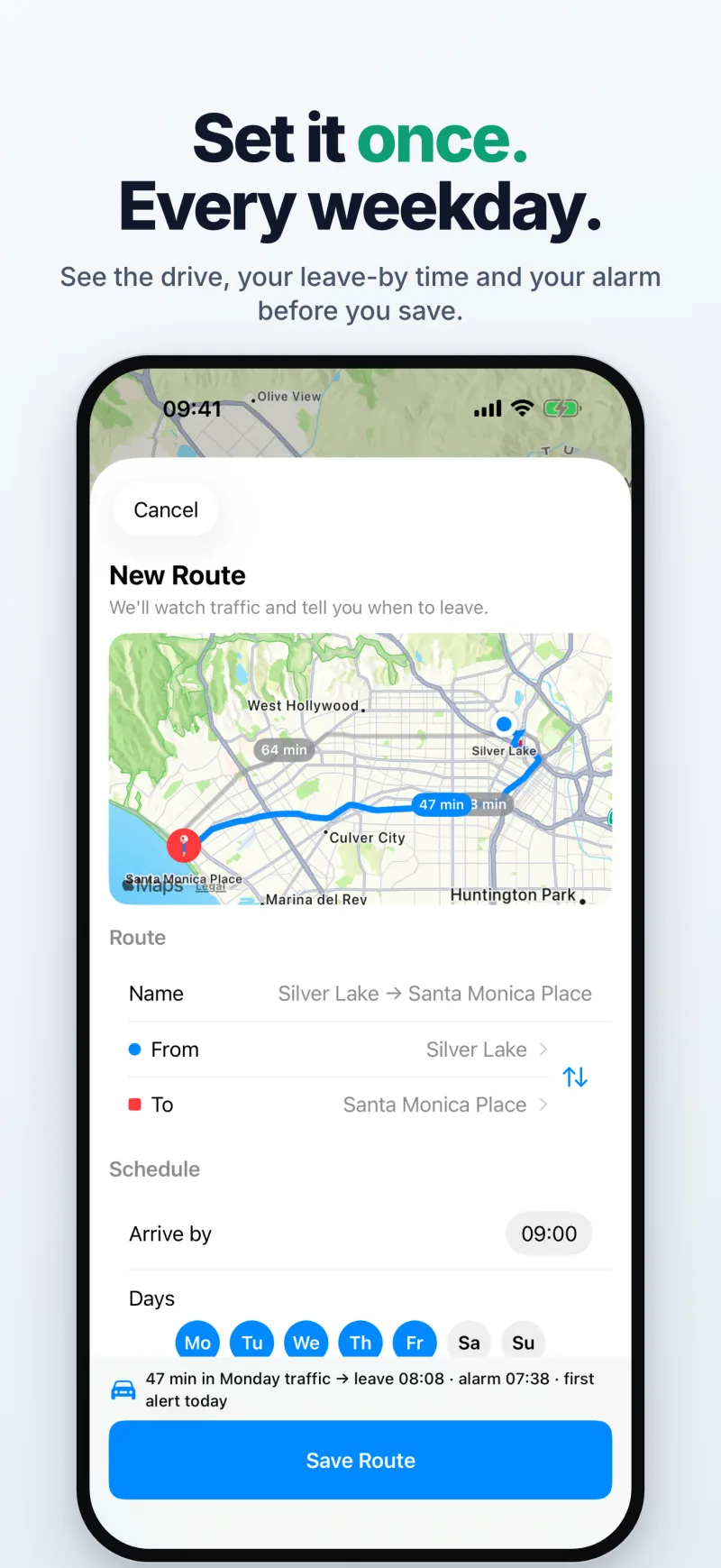
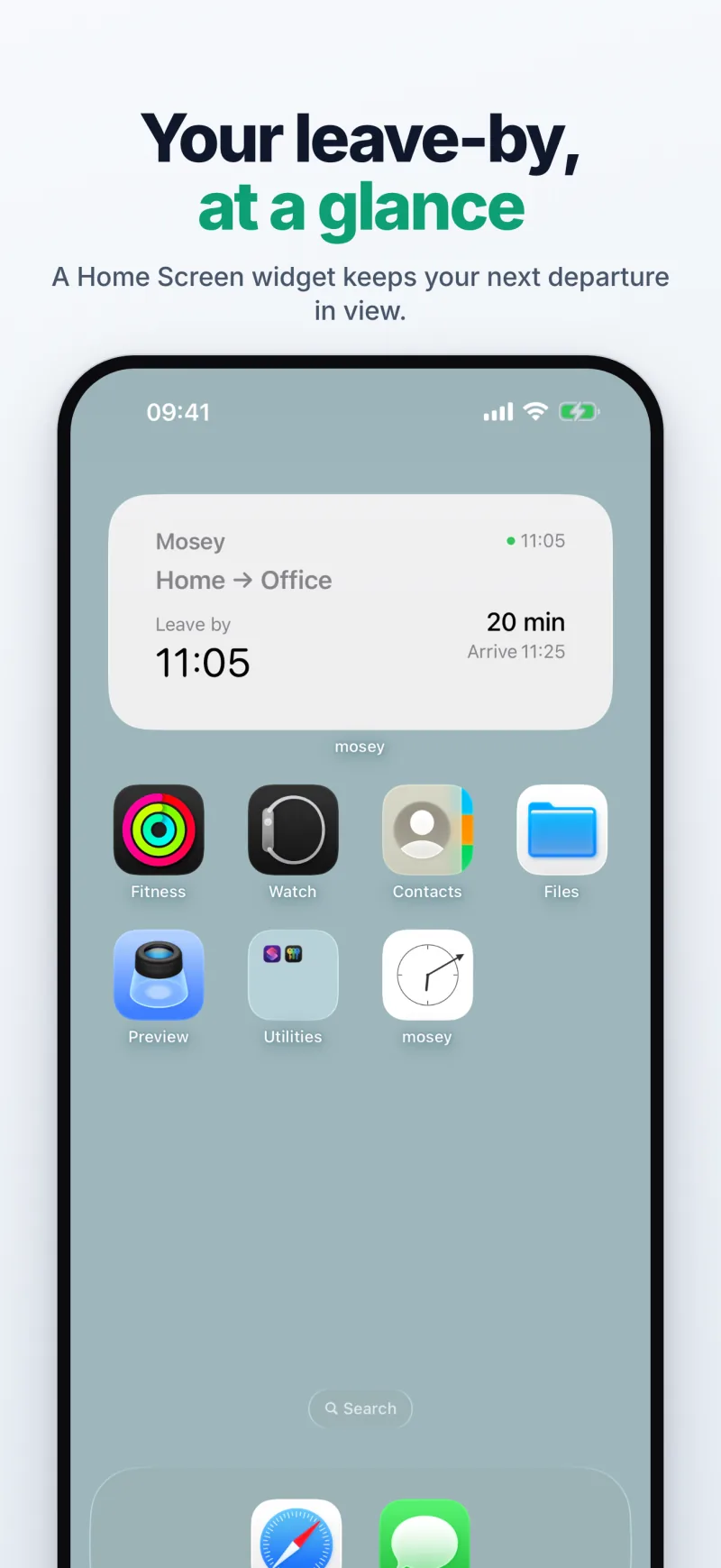
Add where you're going, when you need to be there and on which days. Mosey works out the leave-by every morning — weather included — with a Live Activity countdown and Lock Screen and Home Screen widgets.
One alarm, then nudges — and how it went
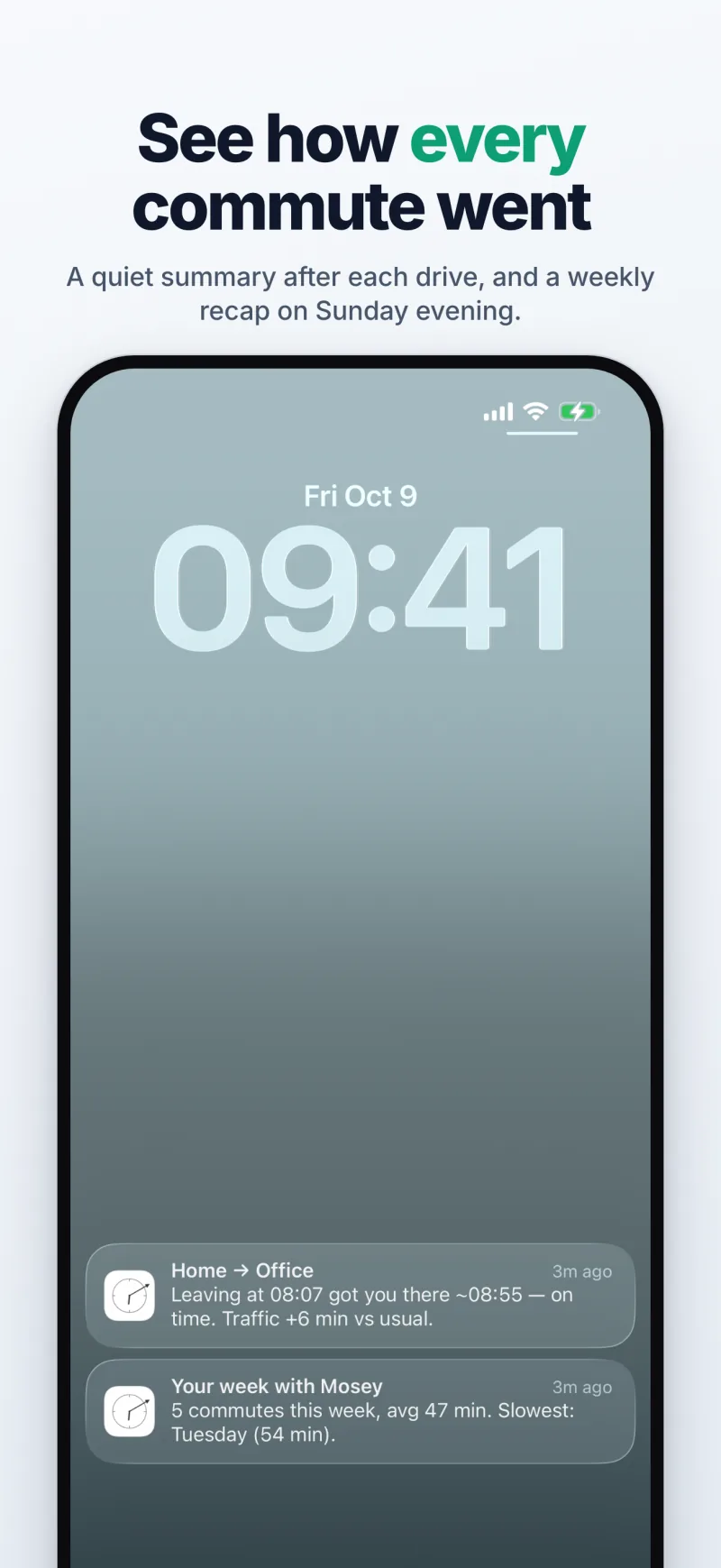
Your first reminder rings as an alarm; the later ones arrive as gentle notifications. After each drive, a short summary of how traffic compared with usual, and a weekly recap on Sunday evening.
Private, and honest
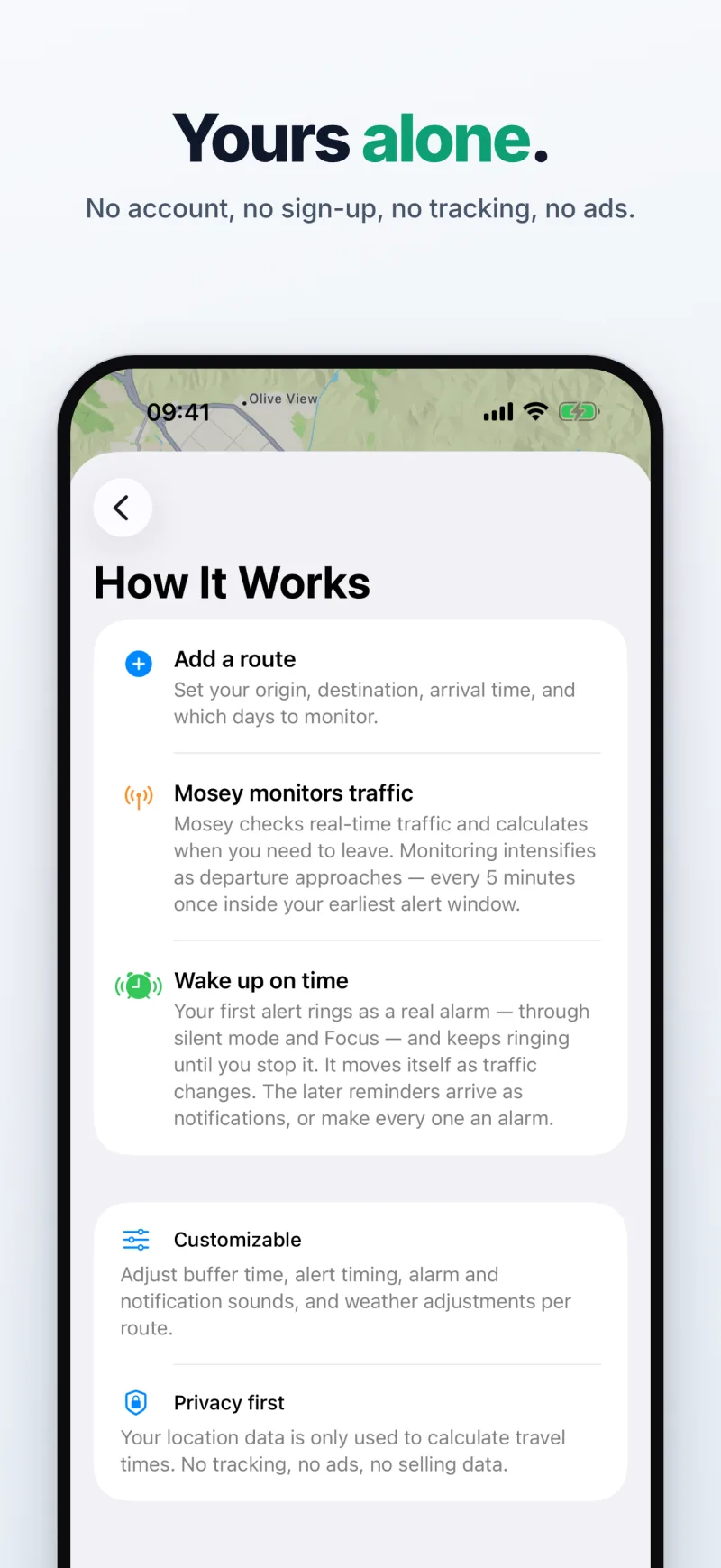
No account, no sign-up, no tracking, no ads. When live traffic isn't available for a route, Mosey says so instead of guessing a drive time. All features are free.
More about Mosey
Frequently asked questions
How does Mosey know when I should leave?
You set where you're going and when you need to be there. Each morning Mosey asks Apple Maps for the drive time with the traffic expected when you'd be on the road, adds your buffer and any weather allowance, and counts back from the arrival time. From about half an hour before your first reminder it rechecks live traffic until you leave, and the leave-by time moves with it.
How does an alarm adjust to traffic?
Mosey's wake-up alarm is set from the drive time on your route, by default 30 minutes before the leave-by. From about half an hour before it is due, Mosey checks live traffic: when the drive gets longer and the leave-by moves earlier, the alarm moves with it, and when the roads are clearer than expected, it moves later. It is a real alarm, not a notification: it rings through silent mode and Focus until you stop it. Snooze 5, 10 or 15 minutes, or skip a single morning.
Is Mosey free?
Yes. Every feature is free, with unlimited routes, and there is no subscription. The only thing you can pay for is an optional one-time tip to support development, which unlocks nothing extra.
Can't my iPhone already do this?
Partly. The Clock app rings at a time you set, on the days you choose, but doesn't look at traffic. Calendar's Time to Leave, Apple Maps, Google Maps and Waze can estimate the drive or remind you to leave from traffic — as alerts and notifications. Mosey puts the two together for a commute: it works out the leave-by every scheduled morning and sets a real alarm from it, which rings through silent mode and Focus and moves with the traffic. The traffic alarm page compares them feature by feature.
Who makes Mosey?
TIT B.V., an independent technology company from the Netherlands. TIT designs, builds and runs Mosey itself — the app, the server that checks the traffic, and support at info@titdev.nl. Mosey is free; an optional one-time tip supports its development and unlocks nothing extra.
Do I need an account?
No. Mosey works without an account or sign-up and has no ads or tracking. Your routes are stored on your iPhone and, under an anonymous device identifier, on Mosey's server so it can check traffic and send alerts. Location is used only to fill in your starting point when you add a route. Settings → Reset All Data removes everything from your phone and the server.
Which devices does Mosey run on?
iPhone, on iOS 26 or later — the wake-up alarm is built on iOS 26's AlarmKit and there is no version for earlier iOS. It comes with a Home Screen widget, a Lock Screen widget and a Live Activity countdown in the Dynamic Island. There is no Apple Watch, iPad or Mac app.
Does it work for my commute?
Mosey plans driving routes anywhere Apple Maps has live traffic, and keeps as many routes as you need, each with its own days, buffer and reminders. It does not plan public transport, cycling or walking. When live traffic isn't available for a route, Mosey says so instead of guessing a drive time.
Which languages is the app in?
English, Dutch, German, French and Spanish. Mosey follows your iPhone's language by default; under Settings → Language you can pick one yourself. Departure alerts, the alarm, summaries and the widgets follow that choice.
Set your arrival once. Mosey handles the mornings.
Built in the Netherlands. In English, Dutch, German, French and Spanish. Available worldwide on the App Store.