
A passport for every museum you have visited
Most museum visits end with a ticket stub in a coat pocket. Cultra keeps them instead: every museum you check in at earns a stamp in a passport on your iPhone, with the date, your photos and a note, so years later you can still see where you went and what you thought of it.

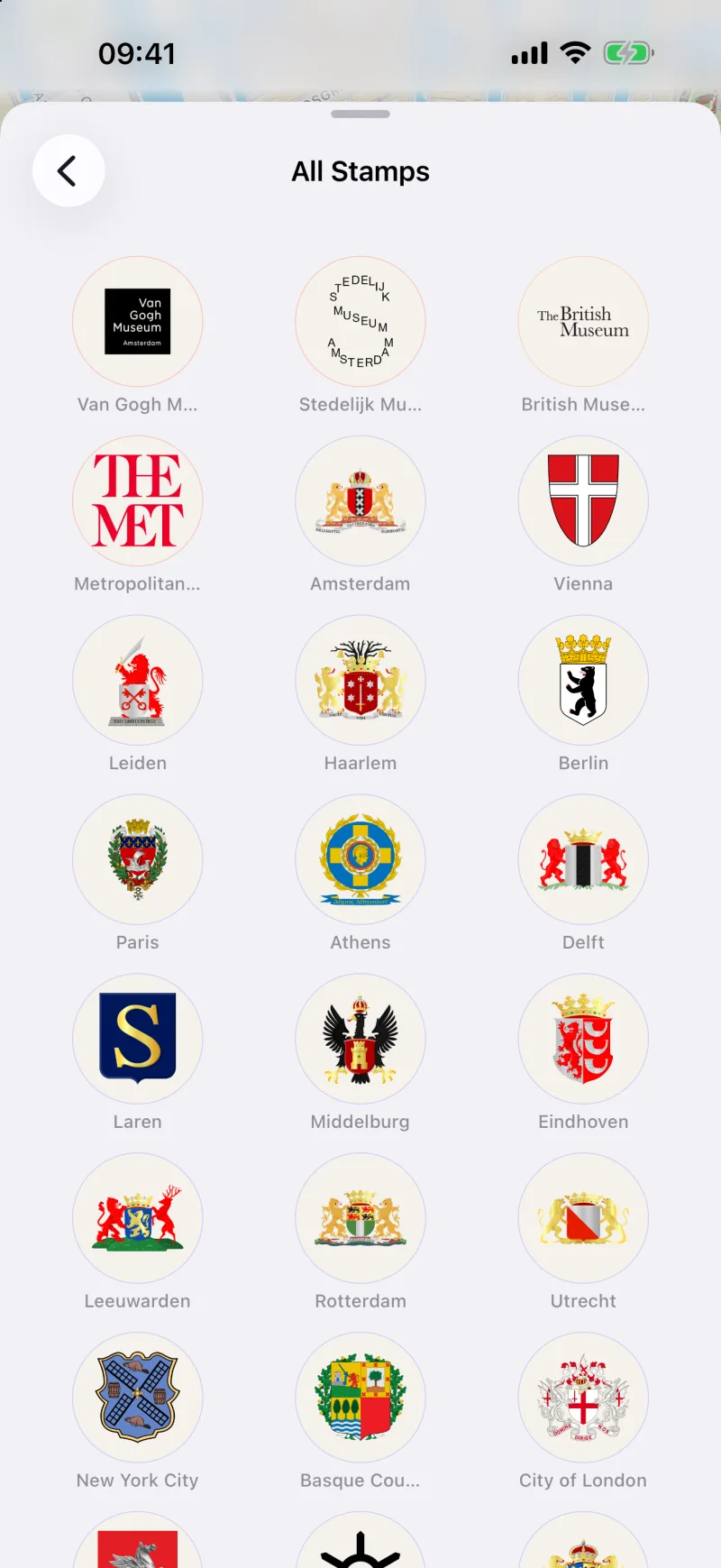
A stamp for every museum
Each museum has its own stamp: the museum's logo where it has one, otherwise the coat of arms of its city or the flag of its country. Stamps fill a grid in your passport, visited museums first, and tapping one opens the visit behind it.
You can check in at the museum, or add a visit later from anywhere. The visit gets a date you choose, up to three photos and a note — the exhibition you came for, who you were with, whether it was worth the ticket.
Your museums on a world map
The Statistics screen draws every museum you have visited on a map of the world, so a decade of city breaks turns into a pattern you can actually see. Below it are your totals — museums, countries, cities and continents — a chart of visits per month, a breakdown by museum type, and the countries you have been to with a count for each.
Milestones and collections
Milestones mark the way: your first visit, then 10, 25, 50 and 100 museums; 3, 5 and 10 countries; 5, 10 and 25 cities; and 3 continents. Each one shows how far along you are until you earn it.
Collections track your progress through a defined set of museums — every country on the map has one, and in the Netherlands the Museumkaart has one too, with the count broken down by province.
A wishlist for the museums still ahead
Museums you want to see go on a wishlist with one tap, from the map, from search or from a museum's page. The wishlist sits in your passport next to your stamps, so it is there when you are planning the next trip, and Search can show only the museums on it.
Yours, and only yours
There is no account and no feed. Visits, photos and notes are stored on your iPhone; if you turn on iCloud Sync in Settings they also sync, through your own iCloud account, to your iPad or a new phone. Export Data gives you everything as a JSON file, and Clear All Data wipes it from the device and iCloud.
Cultra does not share your passport or publish it anywhere, and it does not check tickets: a visit is whatever you say it is.
Frequently asked questions
Can I add museums I visited years ago?
Yes. Open the museum, choose Add Visit and set the date. The stamp, statistics and milestones count it as if you had checked in on the day. Or let Import from Photos (Settings) find them: it suggests past visits from where and when your photos were taken.
What does a stamp look like?
The museum's own logo if it has one, otherwise its city's coat of arms, otherwise the country's flag. Stamps are collected in a grid in your passport.
Do my visits sync to my iPad?
If you turn on iCloud Sync in Settings on both devices, signed in to the same iCloud account. Visits, wishlist and photos then sync through your own iCloud; nothing goes through a server of ours.
Can I get my data out?
Yes. Settings has Export Data, which shares a JSON file with your visits, wishlist and collection progress.