
Pim for Mac
Updated · TIT
Pim for Mac is the free app that Pim on your iPhone talks to: it runs your Claude Code and Codex sessions and lets the iPhone see the screen, the files and the clipboard. It's just as useful at your desk — one window for your agent sessions and your conversations with Pim, Quick Ask over any app, a clipboard history that stays on the Mac, and files and clipboard passed between your Macs.
What it does for your iPhone
Everything Pim on your iPhone does with your Mac goes through Pim for Mac. It runs Claude Code and Codex in the folders you pick and brings their requests for approval to the phone. It streams the screen as video and takes your taps and keystrokes, for which you allow Screen Recording and Accessibility once. It opens folders and files in your home folder, passes files both ways, keeps the Mac awake while you're out, and answers when you ask Pim something.
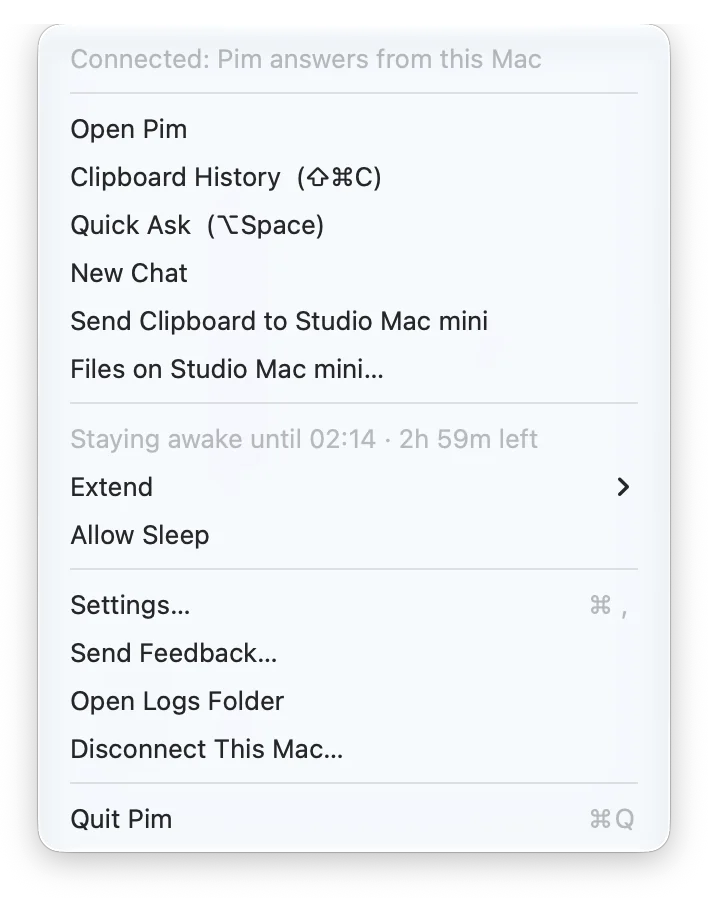
It lives in the menu bar, and with Open Pim when I log in turned on, the Mac can be reached whenever it's on.
Your agents and Pim in one window
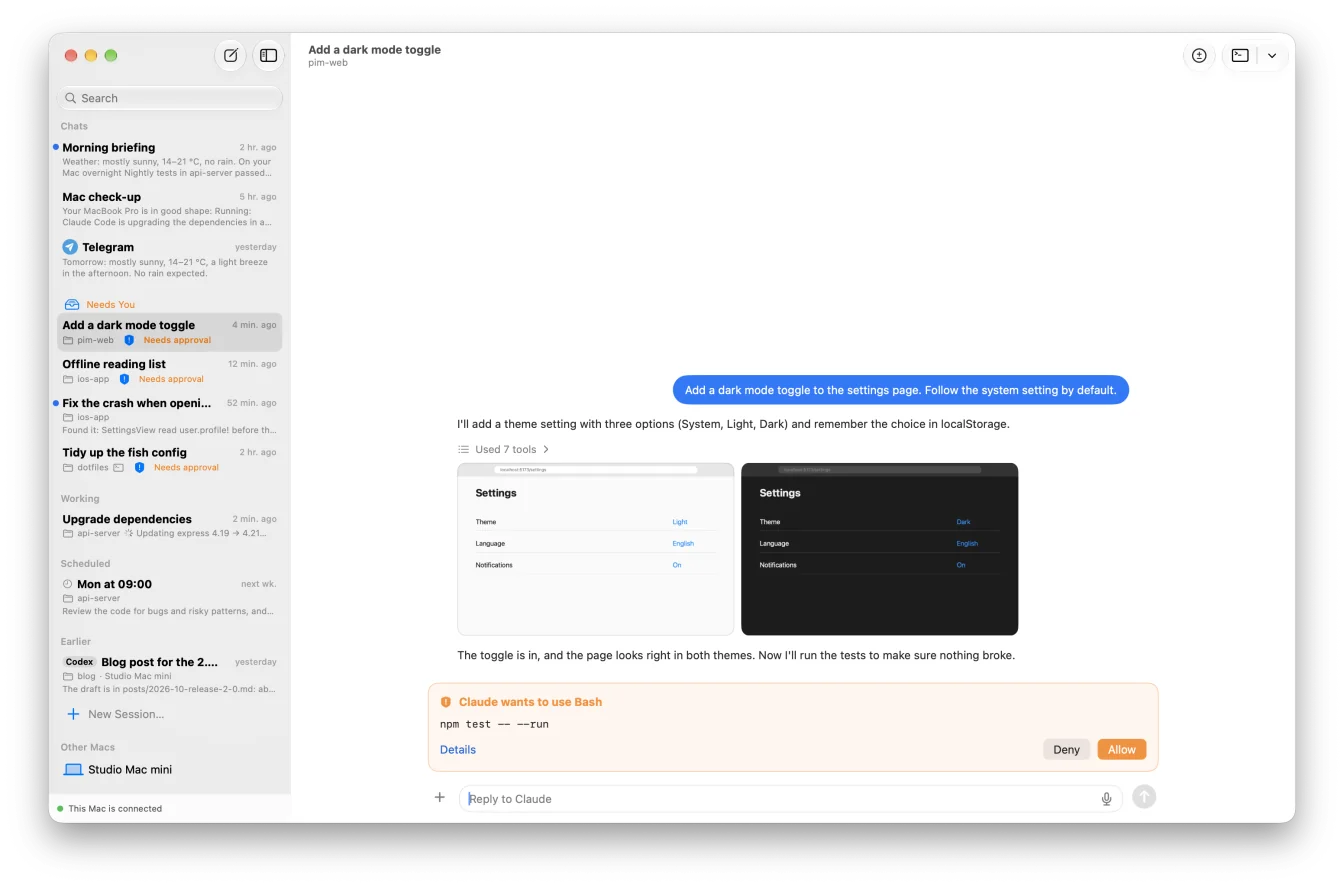
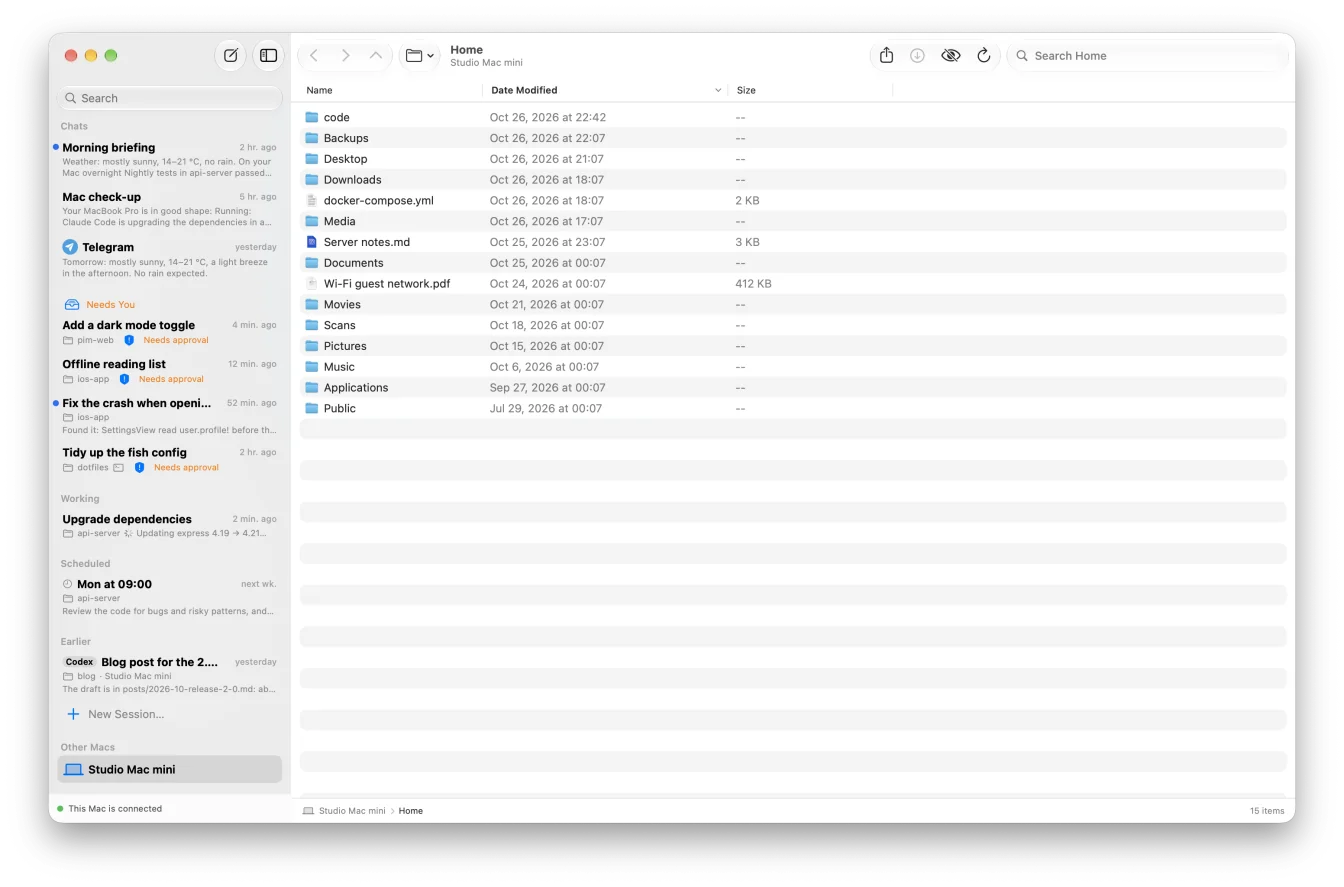
The main window has your conversations with Pim and your Claude Code and Codex sessions side by side, grouped as on the iPhone: Needs You, Working, Scheduled and Earlier. The Dock icon shows how many sessions need you. Approve a step or read a plan right there, start a new session in a folder with the model and effort you want, and write your next message while the agent works — it goes in when the turn ends. Text you haven't sent is still there when you come back.
Open in Terminal continues a session in Ghostty, iTerm or Terminal, on the Mac it lives on; a session started on another of your Macs opens there.
Quick Ask, over any app
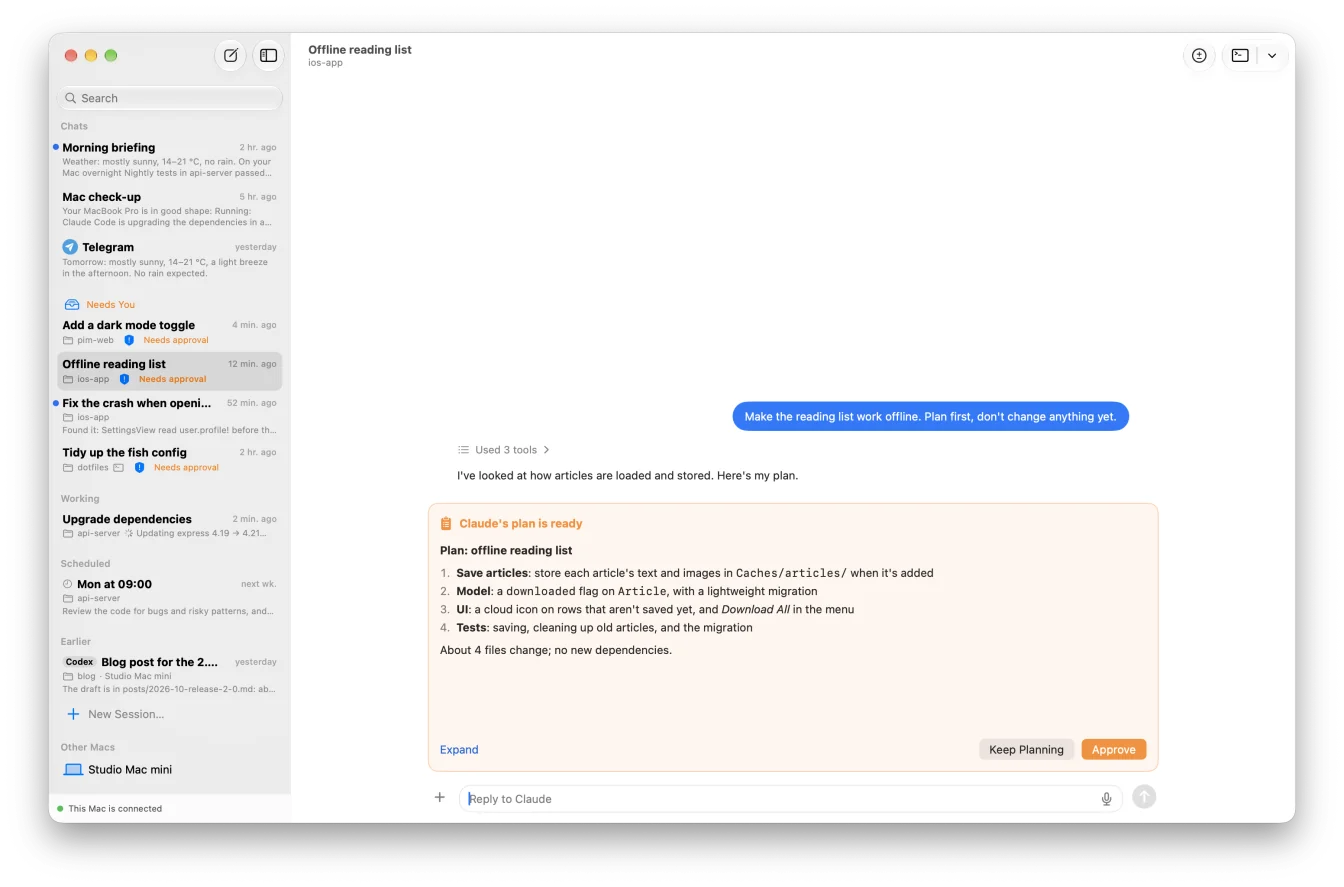
Press ⌥Space wherever you are and a small panel asks Pim — about the Mac, a file, anything. Follow-up questions stay in the same conversation; ⌘N starts a new one and ⌘O opens it in the main window.
Claude Code sessions in your terminal
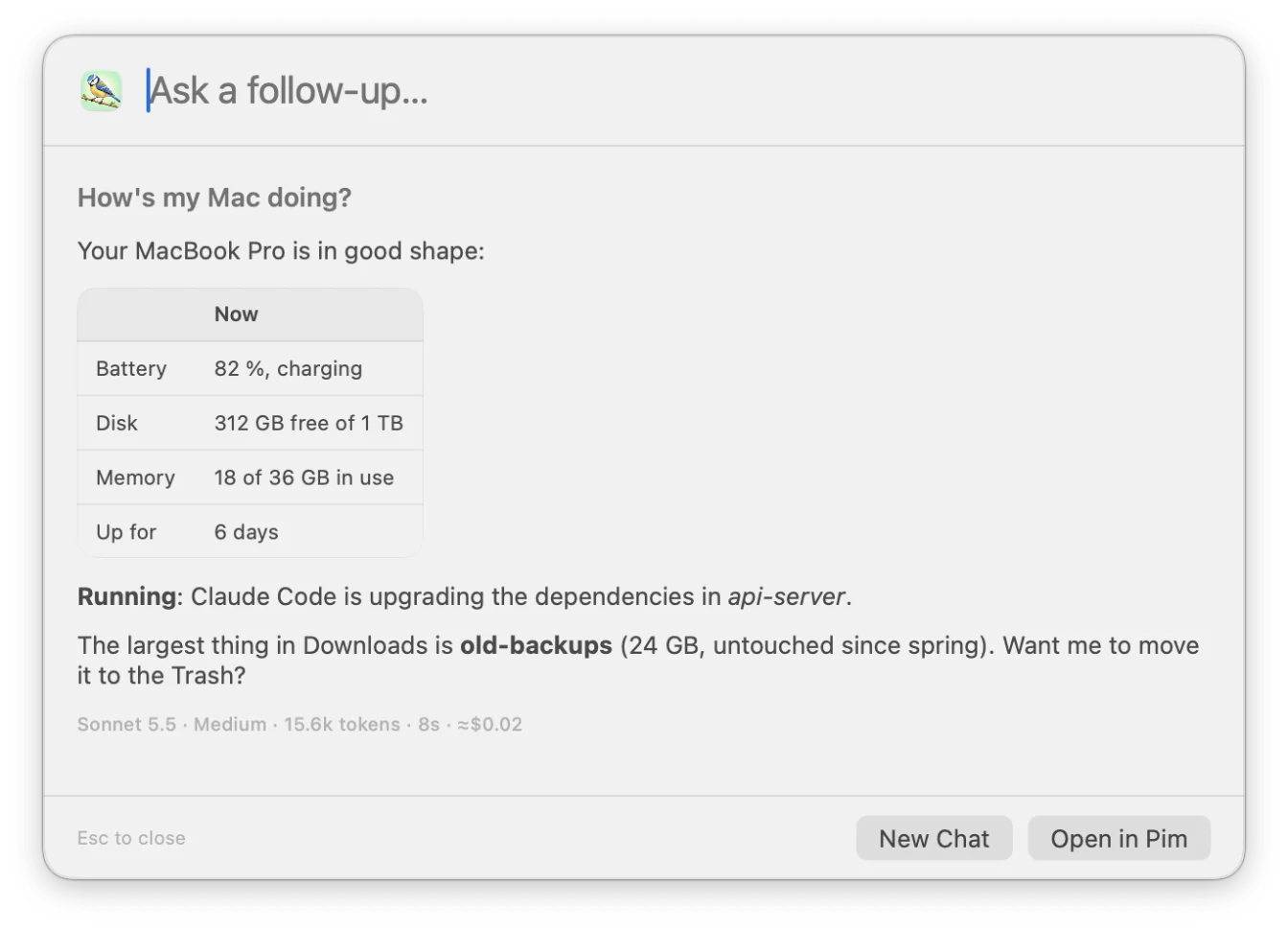
Settings → Terminal Sessions decides what your iPhone sees of the Claude Code sessions you start in a terminal yourself. Show terminal sessions on iPhone lists them in the app with their conversation (it's off until you turn it on). Those running in Ghostty you can answer from the iPhone: Pim types the reply into that session.
Install pc adds a small command: start Claude Code with pc instead of claude and the session runs in Pim's own terminal session, so the iPhone can reply to it, stop it and answer its questions from any terminal app. Approvals and questions on iPhone adds Pim's hook to Claude Code's settings, and every session brings its requests for approval and its questions to your iPhone.
A clipboard history that stays on your Mac
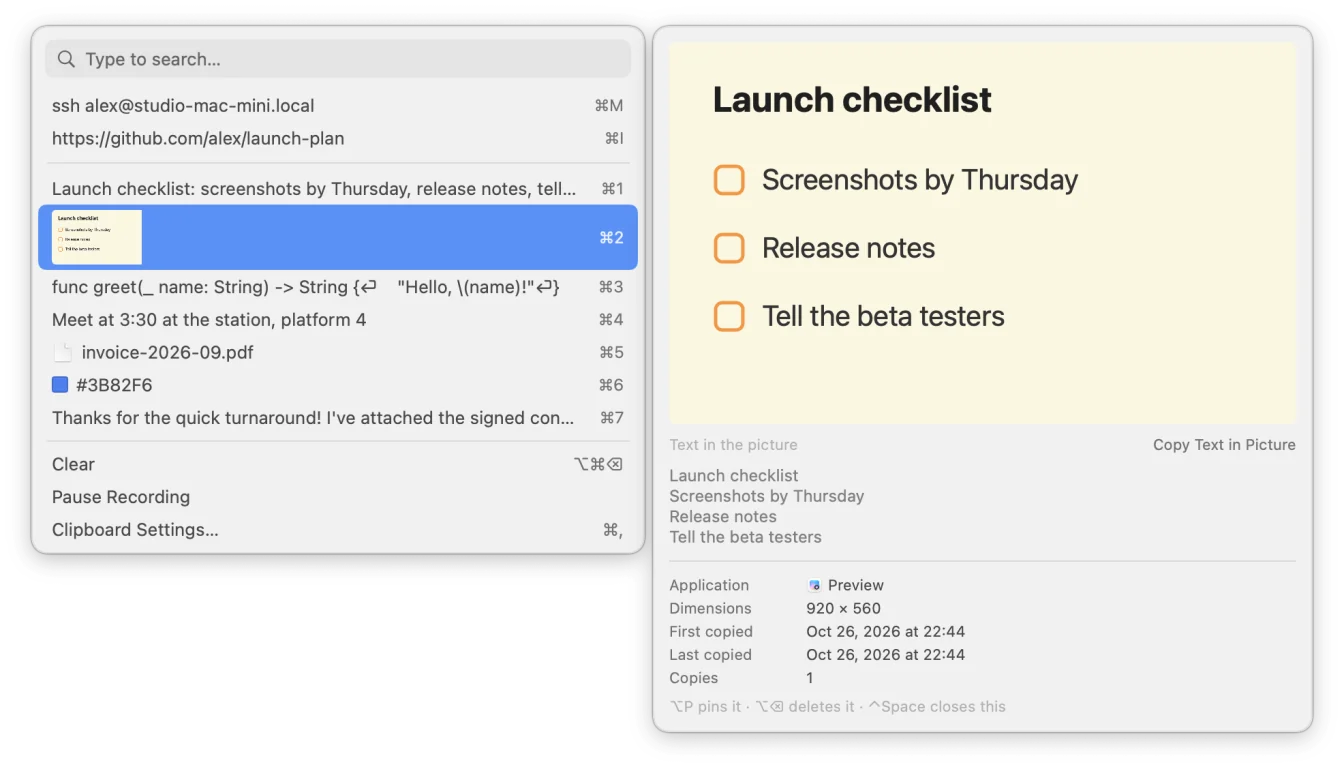
Turn on the clipboard history in Settings → Clipboard and Pim keeps what you copy — text, pictures, files — in a database on this Mac. ⇧⌘C opens it over any app:
- Type to search, including the text in screenshots, which the Mac recognizes itself
- Return copies an item, or pastes it straight into the app you were in, if you set it to
- Pin the ones you use often; ⌘1–9 picks from the top of the list
- Passwords from password managers, and items apps mark as private, are skipped; leave out whole apps if you like
- Bring your history over from another clipboard app with Import History…
- Right-click an item to ask Pim about it
Between your Macs
Pair more than one Mac and they work together. Send Clipboard to another Mac from the menu bar, or with a shortcut you set: text, a picture, or files you copied in Finder (folders go as a zip, up to 50 files of 100 MB each). It lands on the other Mac's clipboard, ready to paste, with a notification — files are saved in its Downloads folder.
Your other Macs are in the main window's sidebar too: browse their files, search them with Spotlight, look at a file with Quick Look, download it, or copy files over. It all goes through Pim's server, so the Macs don't need to be on the same network or the same Apple Account.
And a few small things
- App shortcuts: give any app a keyboard shortcut that opens it or brings it to the front, and hides it if you press it again
- Stay Awake: keep the Mac awake for 1 hour, 3 hours or until you stop, from the menu bar — with the lid closed too, once you allow Pim in System Settings → General → Login Items
- Updates install themselves: Pim for Mac checks every hour and installs a new version when nothing is running
Set it up
Download Pim for Mac from pim.titdev.nl/mac and open it; it offers to move itself into Applications. Allow Screen Recording and Accessibility, then pair it with Pim on your iPhone — the account lives there — by scanning the QR code the Mac shows, or typing its 8-character code. Pim for Mac checks whether Claude Code and Codex are installed and signed in, and tells you what to run if they aren't.
What you need
Pim is an independent app by TIT and is not affiliated with Anthropic or OpenAI. Claude Code is Anthropic's and Codex is OpenAI's; Pim for Mac runs the copy on your Mac, under your own account, and their terms apply.
- A Mac with Apple silicon and macOS 14 or later
- Pim on an iPhone with iOS 18 or later, to sign in and pair
- Claude Code, signed in, for Pim to answer and for Claude Code sessions; Codex if you want Codex sessions
Frequently asked questions
Is Pim for Mac free?
Yes. Pim for Mac and Pim for iPhone are free, with no ads and no in-app purchases. What the agents do counts against your own Claude Code or Codex plan, as it would at your desk.
Do I need the iPhone app?
Yes, to set it up: you sign in with Pim on your iPhone and pair the Mac from there. After that the Mac's window, Quick Ask, the clipboard history and the shortcuts work at the Mac on their own.
Does it work without Claude Code?
Partly. Without Claude Code signed in, Pim doesn't answer from that Mac and can't start Claude Code sessions there. The screen, the files, the clipboard, Stay Awake and Codex sessions work all the same.
Does my clipboard history leave the Mac?
It's stored only on your Mac. When you look through it from your iPhone, the items you see pass through Pim's server, which doesn't keep them; what you send to another Mac is deleted from the server as soon as it has arrived.
Why does it need Screen Recording and Accessibility?
So that Pim on your iPhone can see the Mac's screen and click and type on it. Accessibility also lets the clipboard history paste straight into the app you were in.
Which Macs does it run on?
Macs with Apple silicon (M1 or later) and macOS 14 Sonoma or later. Intel Macs aren't supported.