
Pim Claude Code and Codex on your Mac, from your iPhone
Your Mac's AI agents, anywhere. Start a coding session from your iPhone, approve what the agent wants to do from a notification, review its changes and open a pull request — and see and control your Mac's screen whenever you need to.
Free, no ads. For iPhone with iOS 18 or later, with Pim for Mac (free) on a Mac with Apple silicon and macOS 14 or later, and Claude Code or Codex set up on that Mac. No Mac at hand? Try the demo in the app.
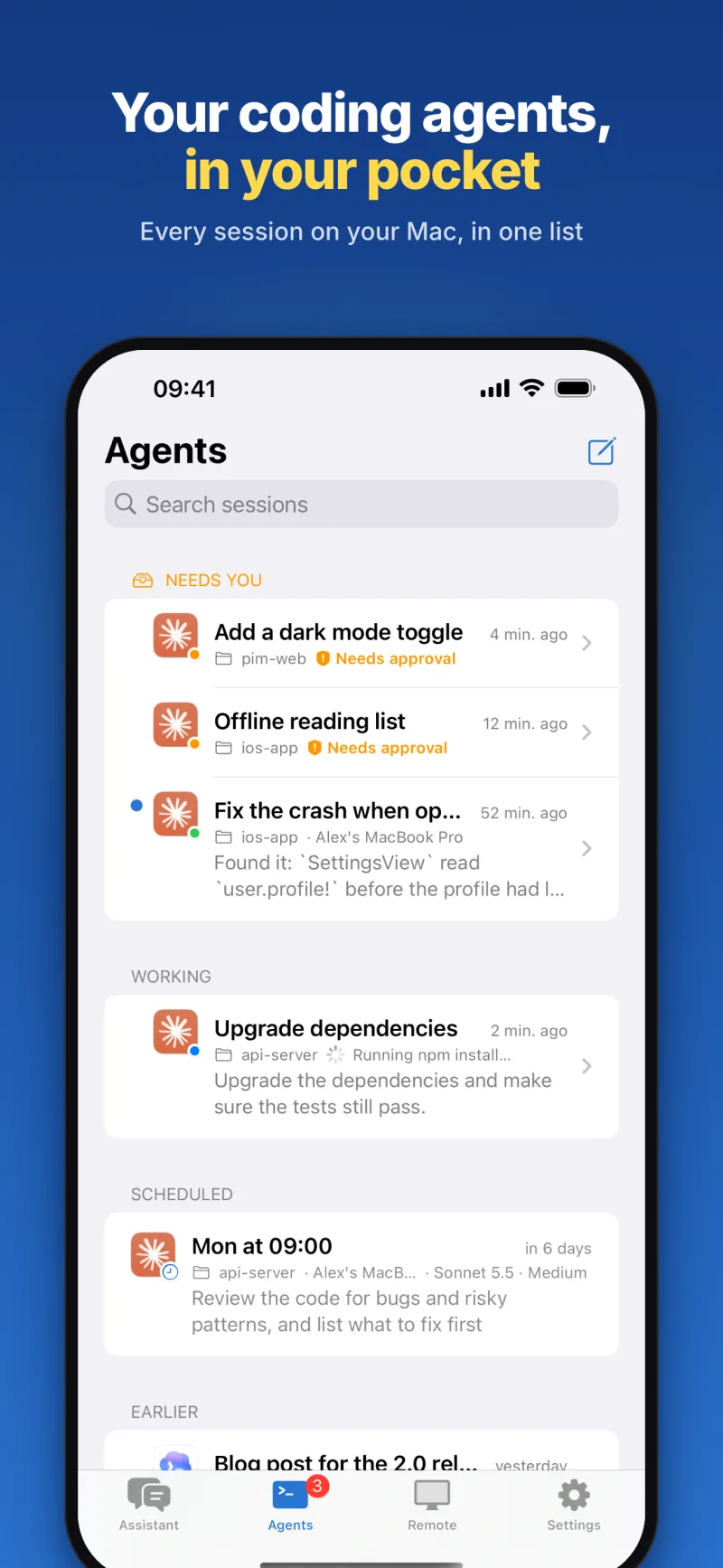
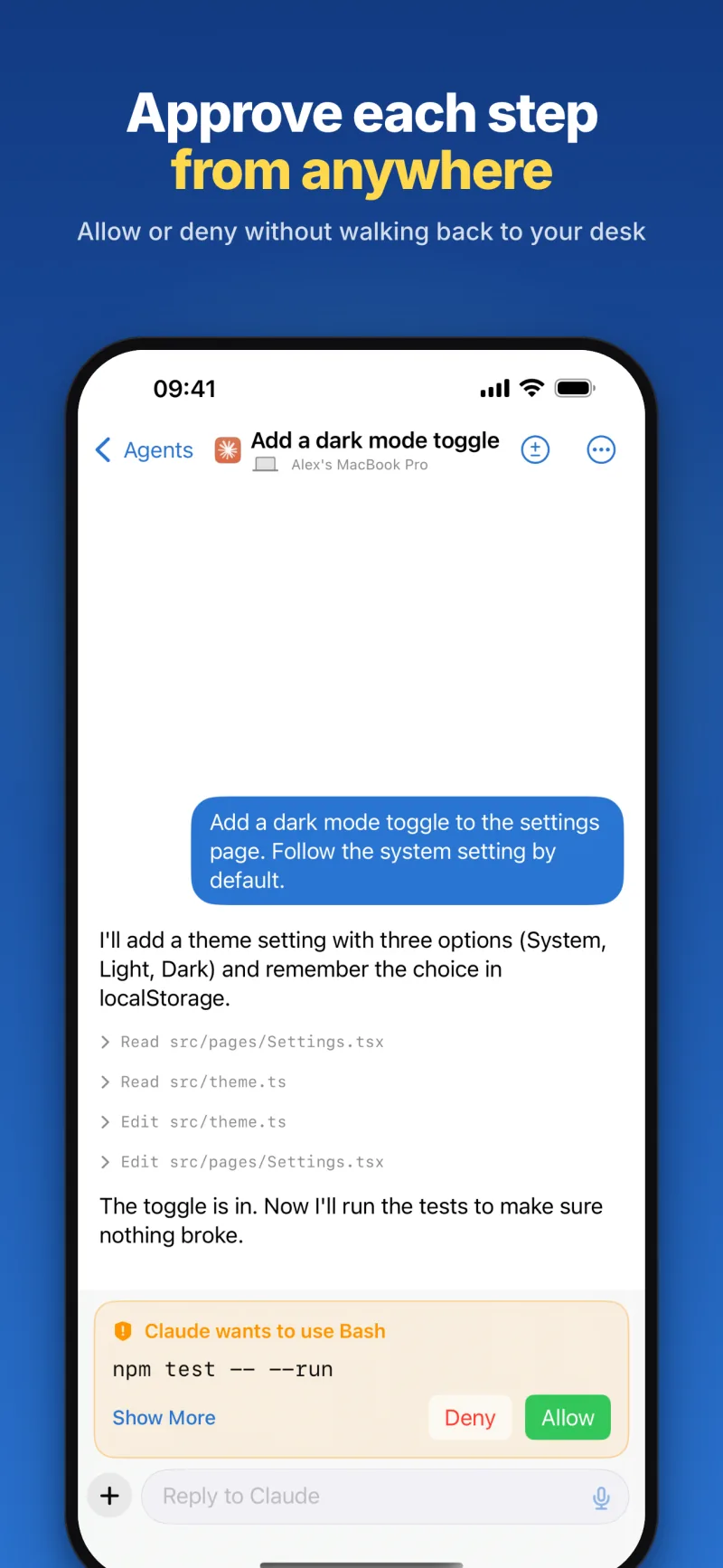
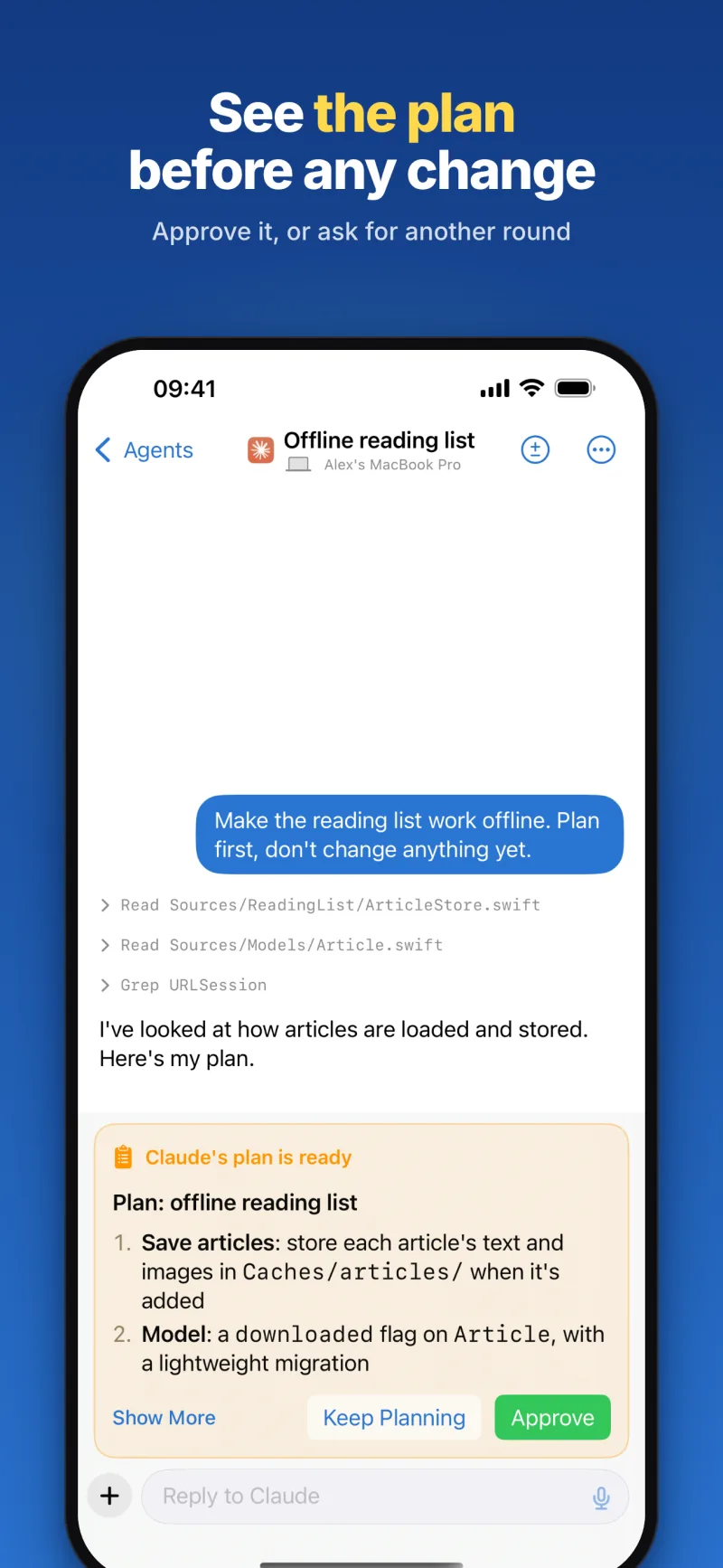
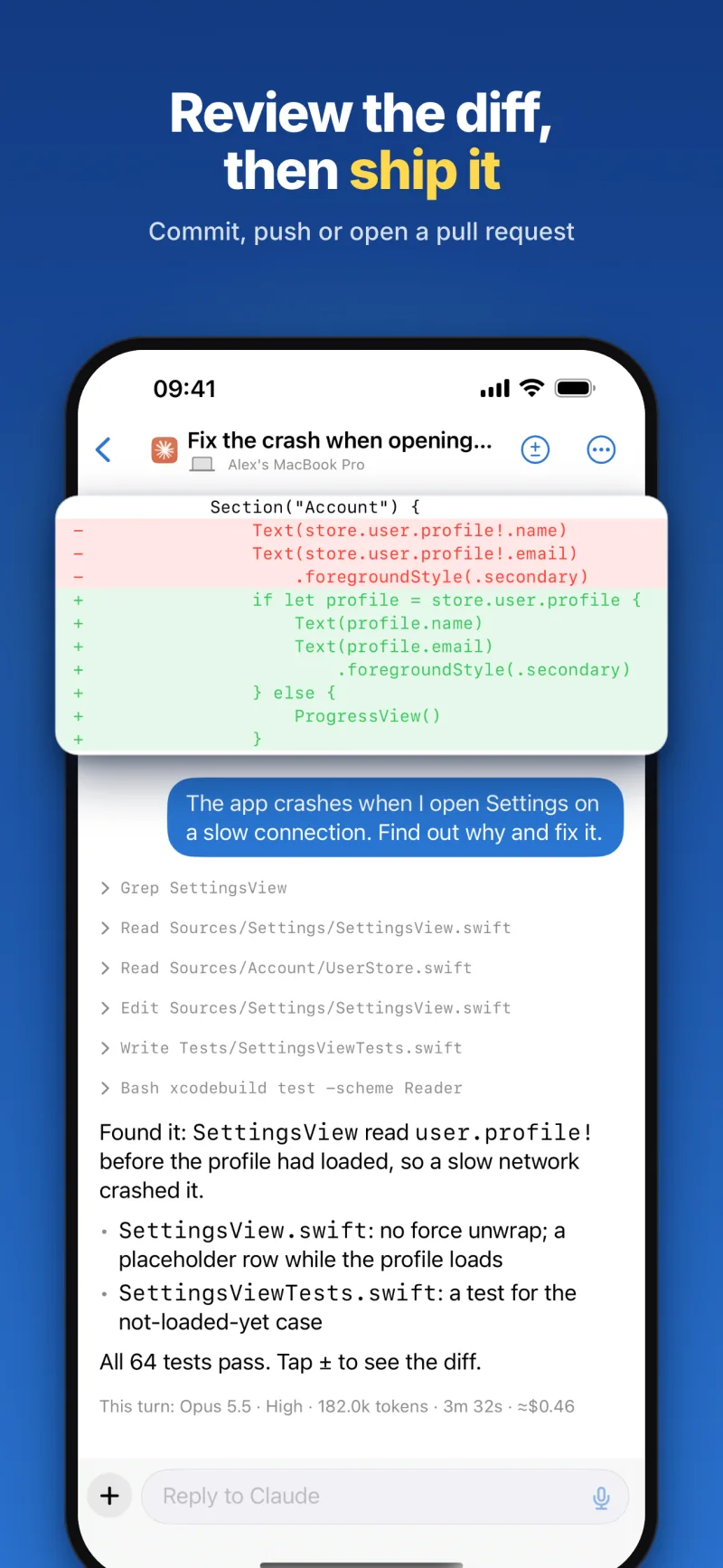
Coding agents, from anywhere
Start a Claude Code or Codex session in any project folder on your Mac: pick the model and how hard it thinks, and attach photos or files. Follow every step live; the sessions that need you wait at the top of the list.
Approve from your Lock Screen
When Claude Code wants your OK — to run a command, say — the question comes to your iPhone: answer it in the session, from the notification (Allow needs the iPhone unlocked) or on the Live Activity. Ask for a plan, and read it before anything changes.
Review the diff, then ship it
See the uncommitted changes file by file, in colour, then have the agent commit, push or open a pull request. Every turn shows its model, tokens, time and estimated cost, and any session can be picked up in Terminal on your Mac.
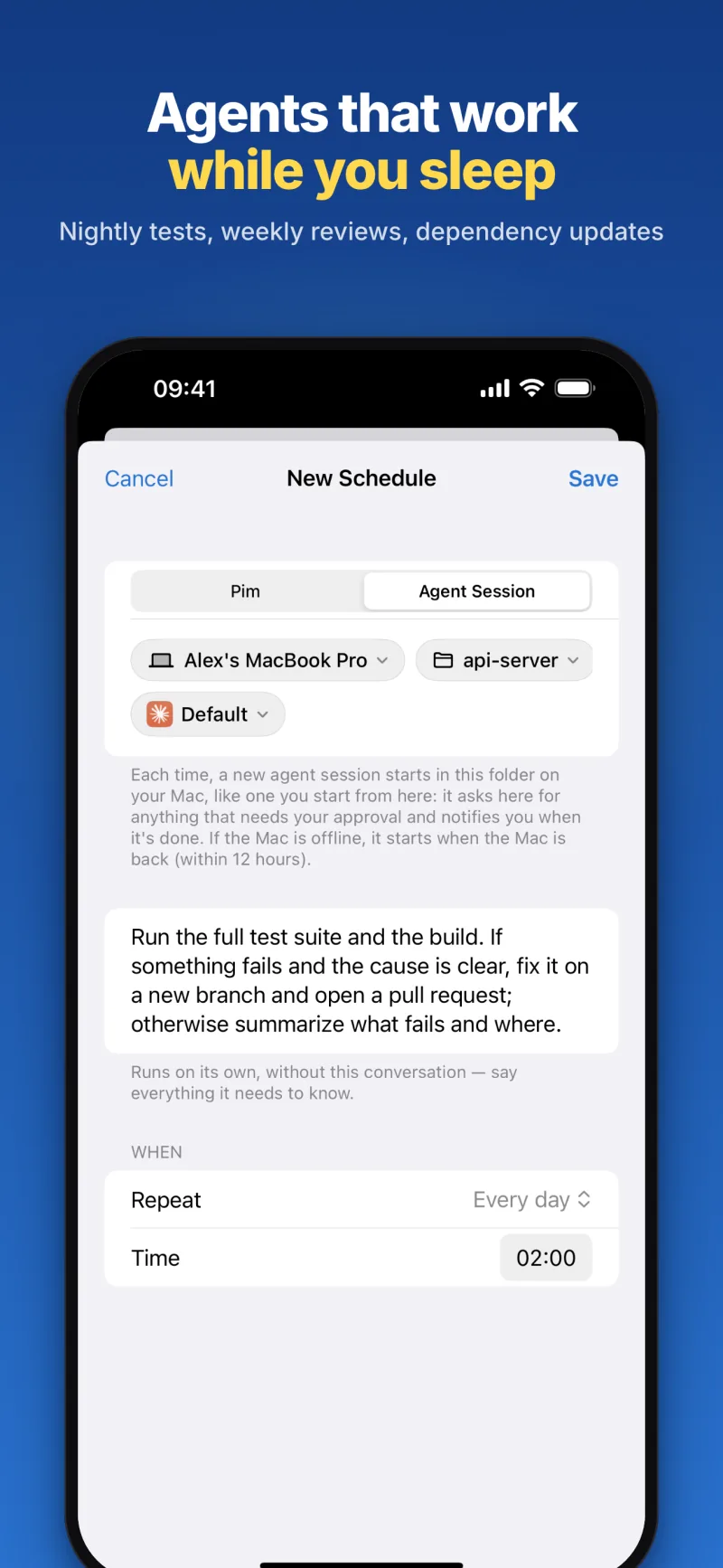
Agents that work while you sleep
Schedule agent sessions: dependency updates every week, the tests every night, a code review on Mondays. Each starts in its folder at the time you set — or, if the Mac is asleep, as soon as it's back.
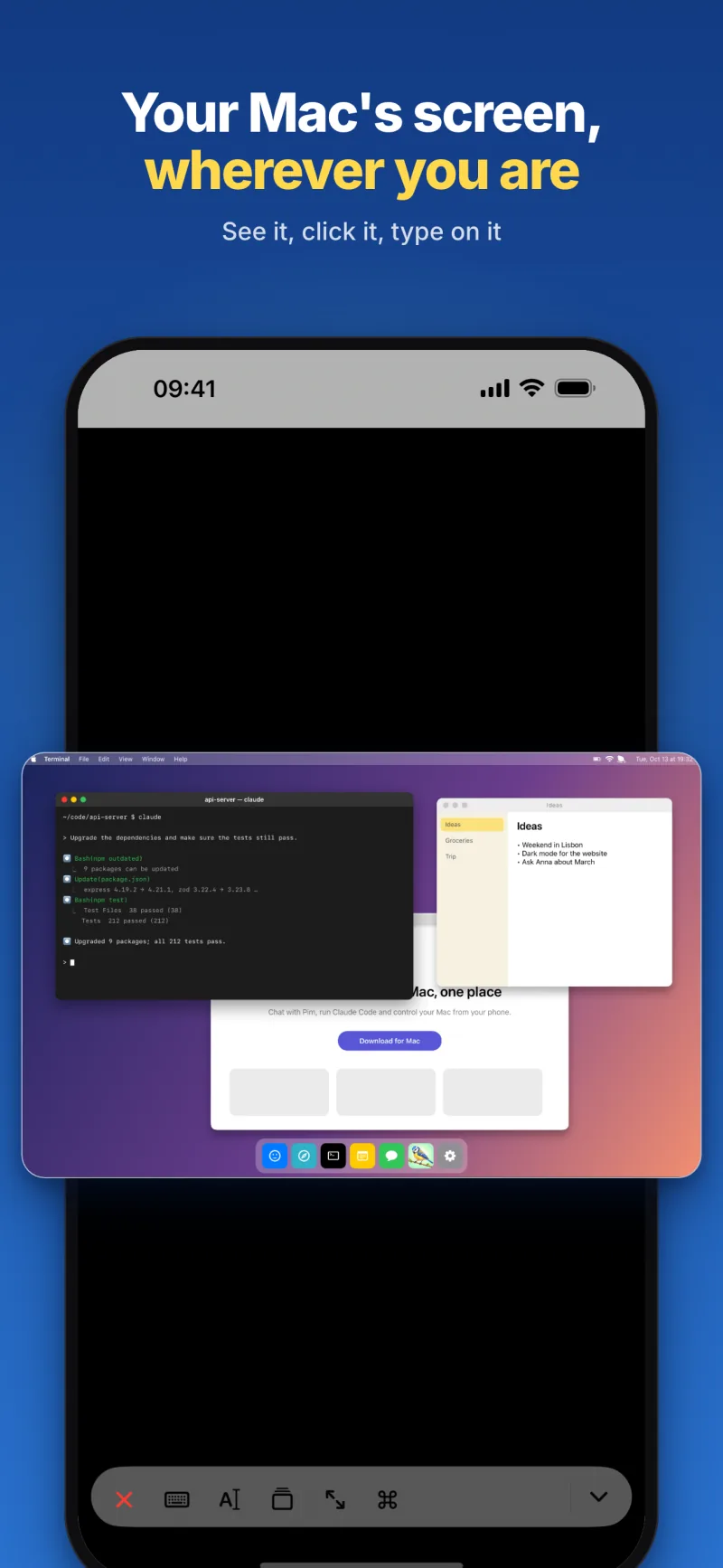
Your Mac's screen, wherever you are
See and control your Mac's desktop as smooth video, without typing your Mac password: tap to click, drag to scroll, pinch to zoom, with a keyboard and a window switcher. Curtain mode keeps the Mac's own display dark while you work.
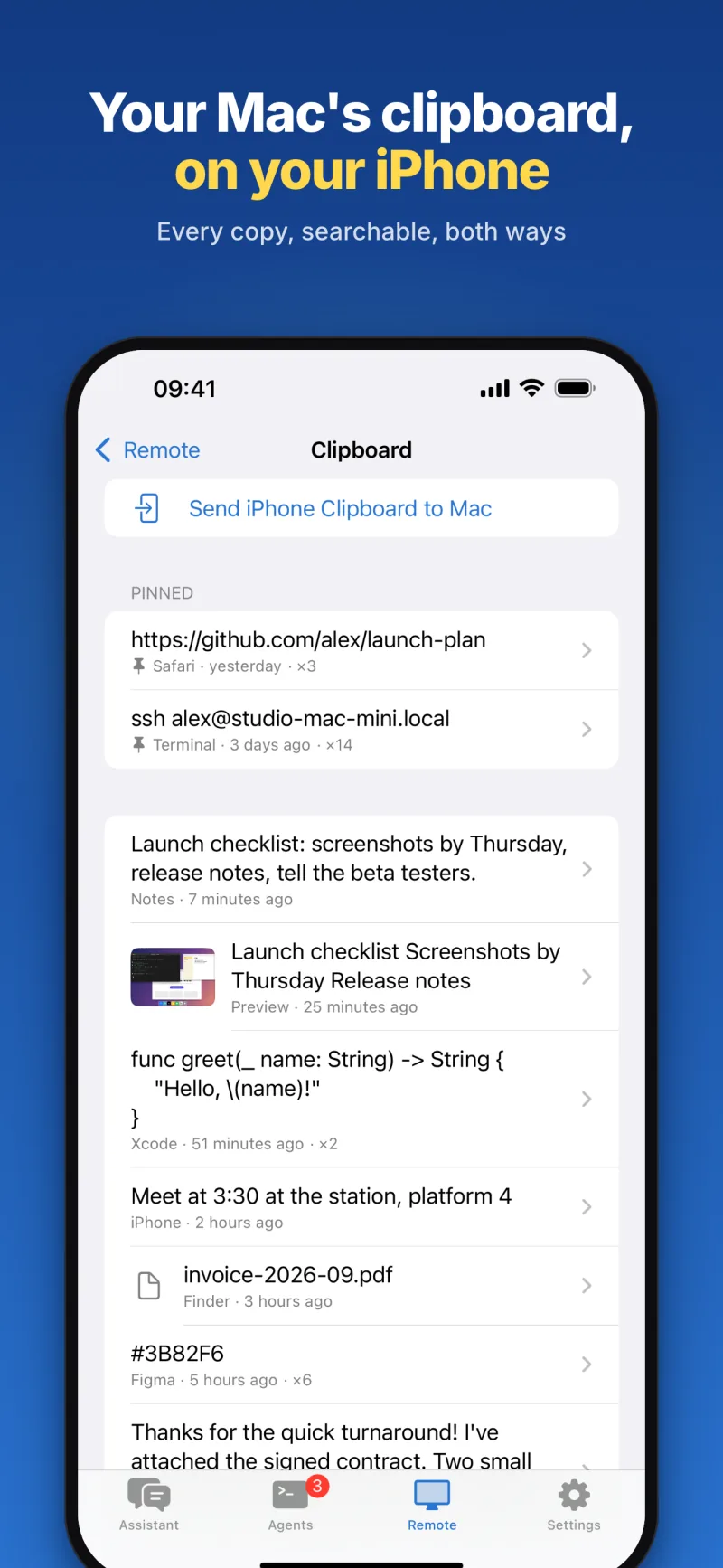
Files and clipboard, both ways
Browse and search your Mac's files, open them on your iPhone, or send photos and files into any folder. Turn on clipboard history in Pim for Mac and it's on your iPhone too: copy any item over, or put one back on the Mac.
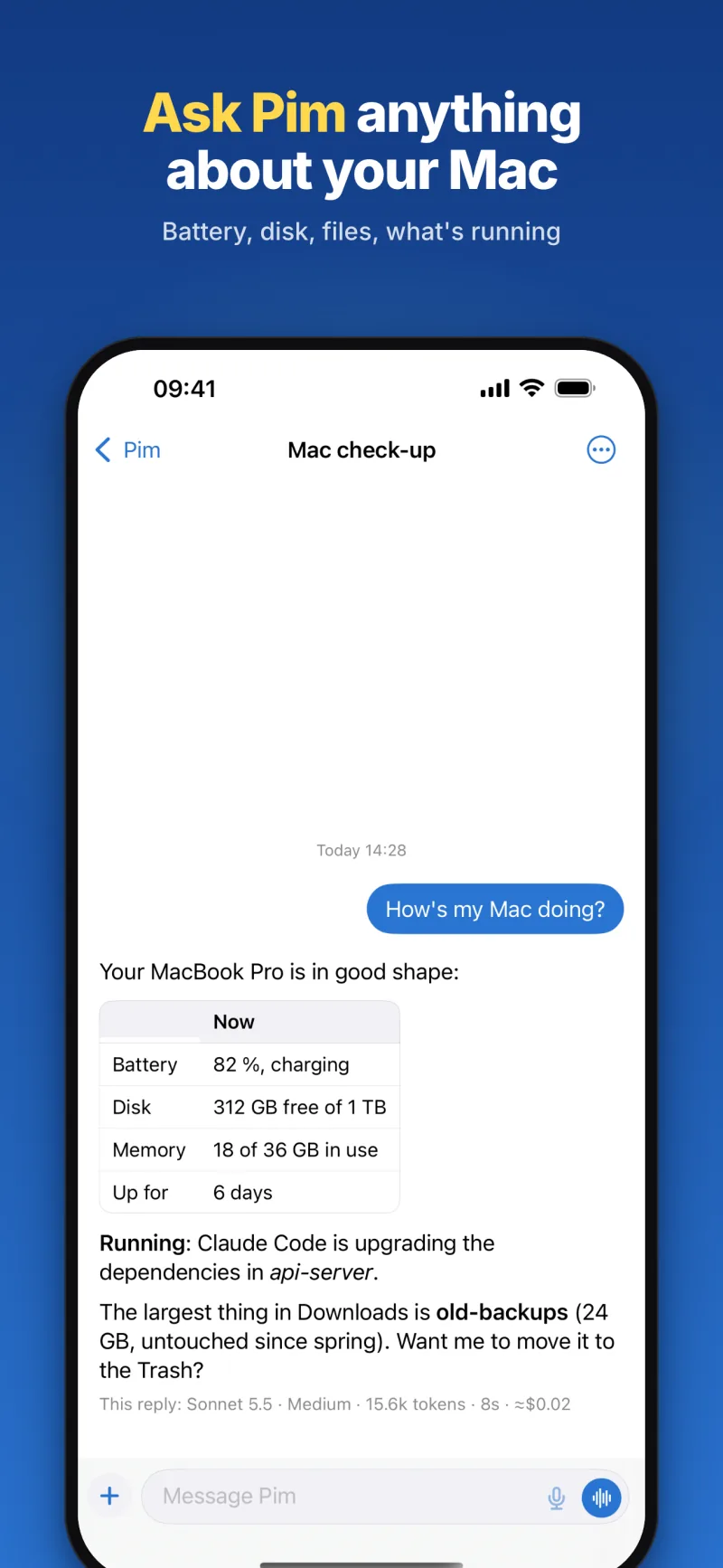
An assistant that works on your Mac
Talk to Pim in as many conversations as you like, with photos, files, your location or your voice — or hands-free in voice mode. It remembers your preferences, runs scheduled tasks and answers in your own Telegram bot. Ask it from Siri, widgets or any app's share sheet.
Private by design
The AI runs on your own Mac, with your own Claude Code or Codex account. The screen is relayed live and never recorded, attachments are deleted after 7 days, and there are no ads and no tracking. Lock Pim with Face ID; delete your account in the app.
Set up in three steps. Install Pim for Mac and allow Screen Recording and Accessibility, so the iPhone can see and control the Mac. Sign in on your iPhone with Apple, Google or your email. Then scan the QR code your Mac shows, or type its 8-character code, to pair them.
Look around first. Tap Try the Demo on the sign-in screen: sample agent sessions, an approval, a plan, a diff and a simulated Mac desktop, with no account and no Mac. The demo answers on your iPhone and sends nothing to our server.
More than one Mac. Pair several Macs and choose which one each session, file transfer or remote connection uses. Your primary Mac is the one Pim answers from.
Independent. Pim is made by TIT and is not affiliated with Anthropic or OpenAI. Claude Code (Anthropic) and Codex (OpenAI) run on your Mac under your own account with them, and their terms apply.
More about Pim
Frequently asked questions
Can I use Claude Code from my iPhone?
Yes. Pim for Mac runs Claude Code — or Codex — on your Mac, and Pim on your iPhone starts sessions in any folder, shows every step as it happens, answers Claude Code's permission requests and shows the changes as a diff. The code and the agent stay on your Mac; the iPhone is the remote.
What do I need to use Pim?
An iPhone with iOS 18 or later; a Mac with Apple silicon and macOS 14 or later, running Pim for Mac (a free download from pim.titdev.nl/mac); and Claude Code or Codex set up on that Mac with your own account. The Mac has to be on and online, and Pim can keep it awake while you're away.
How much does Pim cost?
Pim and Pim for Mac are free, with no ads and no in-app purchases. The agents run under your own Claude Code or Codex account, so what they do counts against your plan with Anthropic or OpenAI, as it would at your desk. Under each turn Pim shows the model, the tokens, the time and an estimated cost at API prices.
Does my code go through your server?
Your code stays on your Mac, where the agent works on it. When you open a session, the app reads the conversation, the steps and the diff from your Mac through our server, which passes them on without storing them. Conversations with the Pim assistant are kept on the server so they sync between your devices, until you delete them; the privacy policy has the details.
Do Codex sessions ask for approval too?
No. Claude Code asks when it needs your OK, and Pim brings the question to your iPhone. Codex runs in its own sandbox: it can change files in the session's folder and use the network — to push, for example — and doesn't stop to ask. You still see every step and the diff.
Can I control my Mac's screen when I'm away from home?
Yes, over any connection — not only on your home network. Pim for Mac streams the screen as video through our server, which relays it live and never records it, and you don't type your Mac password for it. A locked Mac can be unlocked through macOS Screen Sharing with its user name and password, which stay in your iPhone's keychain.
Can I try Pim without a Mac?
Yes. Tap Try the Demo on the sign-in screen. The demo answers everything on your iPhone with sample data — agent sessions waiting for approval, a plan, a diff, two Macs, a simulated desktop — and sends nothing to our server.
Is Pim made by Anthropic or OpenAI?
No. Pim is an independent app by TIT, not affiliated with Anthropic or OpenAI. It works with the Claude Code and Codex you already use on your Mac.
Leave your desk. Not your agents.
Pim for iPhone, with Pim for Mac. Both free.